Configuration
Legacy Support
The Connector for OPC DA supports importing Rensen OPC Office Link data group files. Data group files will be converted into OPC DA connector topics, CSV connector topics, ODBC connector topics, and tasks that define the dataflow between them.
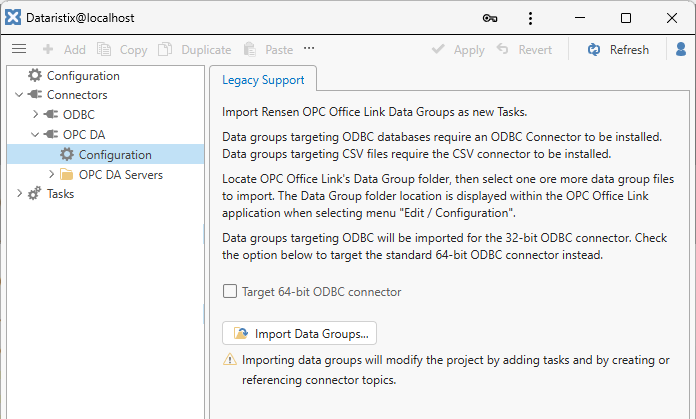
Follow the instructions in the “Legacy Support” panel and press the “Import Data Groups” button to begin.
Note that OPC Office Link has supported 32-bit data sources only and by default, the imported data groups will target the ODBC (32-bit) connector. Use the dropdown to target a different database connector. When targeting a different database connector then adjust the connection settings after the import.
If imported data groups do not need to operate with existing database tables or CSV file formats, then it is recommended to uncheck the “Retain legacy table storage formats” option. This will omit generating default values for table columns that are no longer in use in Dataristix.
Note that the importer does not support importing data groups configured for Recipe Transfer. E-mail alert configurations and data groups schedules are omitted. These features can be added manually by using available processors and task logic. Please contact support should you need assistance.